Home About Us How It Works Compare Pricing App Use Cases Location Services Veteran Support Connect KonnectMD eMNS Emergency Notification Stop Bullying & School Safety ★ Protect — School Portal ★ Stand Up and Speak Up Resources ★ Sorority & Fraternity Safe ★ Blog Media Crisis Ready Network Contact
Protect for Schools KonnectMD Partner
The Stand Up and Speak Up initiative

Stand Up and Speak Up. Free tools for kids, parents and schools.

Kids often stay quiet because they don't know a quick, private way to tell someone. These free guides show every step: how to send a report, how to talk about it at home, and how a school can set it up and respond.
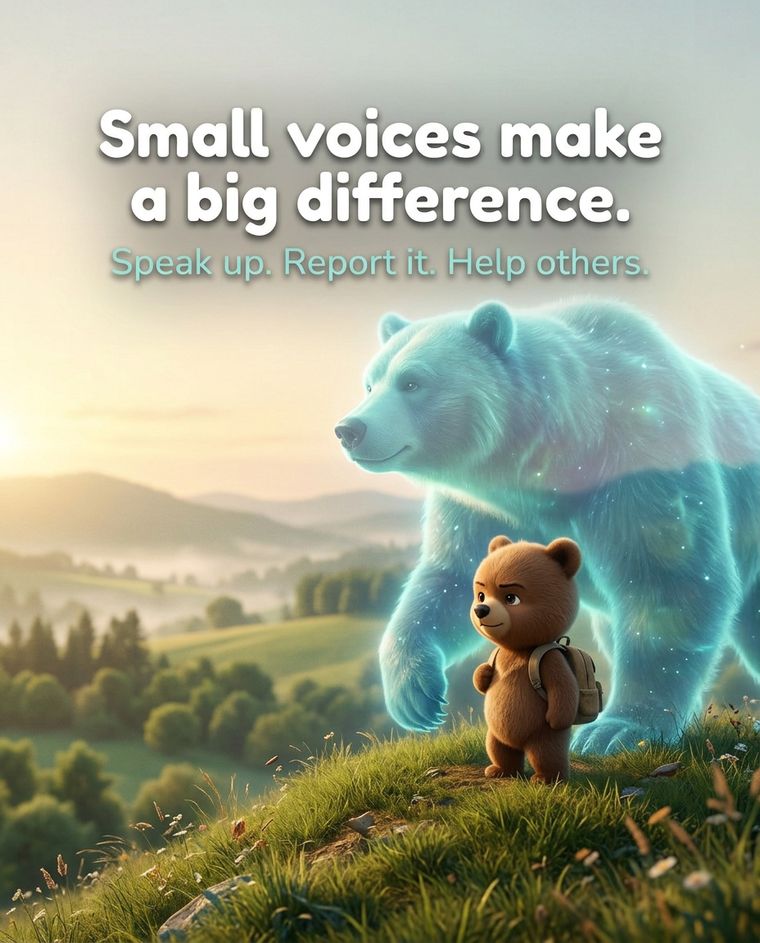

For students

Short, plain steps. You do not have to be the one it happened to in order to tell someone.

For schools: the cards and guides leave blank spaces on purpose for your school's text number, QR code, app organization code and trusted adult. Those are set up with Active SOS during rollout. Fill them in before anything is handed out.
New

IT HAPPENED. WHAT NOW?

Report it. Save the proof. Tell your school.

AN APP-BY-APP GUIDE TO REPORTING

We make it easier to report what happens in other apps, and to tell your school or your parents, so it does not stop at the app. Exact block and report steps, real situations, and what to save as proof.

InstagramSnapchatTikTokDiscordRobloxFortniteXboxTexts+ more
Available now

ONE MESSAGE LETS THE RIGHT ADULTS KNOW.

How to send a message: one-page overview

The three ways to tell your school, the Active SOS app, a text message or a QR code, and what happens next in the Protect portal. Print it or share it.

Read it → Download PDF ↓
Available now

THIS CARD AND QR CODE ARE ALL YOU NEED.

Student wallet card

A pocket-size card for lockers and phone cases. Print, add your school's details, and cut.

Download PDF ↓
Available now

YOU SAW IT. YOU CAN HELP WITHOUT BEING NEXT.

I saw it happen: bystander card

What to do when it happened to someone else, without making it worse.

Download PDF ↓
Available now

CYBERBULLYING DOESN'T STOP AT THE SCHOOL GATE.

It's online and it's mean: what to do

Screenshot, don't reply, block, tell someone. A short guide for cyberbullying.

Download PDF ↓

For parents and PTAs

Know what your child can do, how to start the conversation, and how a parent group can bring Protect to your school.

New

THE APP GOT THE REPORT. DID THE SCHOOL?

Your child reported it to the app. Did the school find out?

The first hour when your child is bullied online or in a game: what to say, what to save, real situations, and how to tell the school.

Available now

THEY MAY NOT TELL YOU. GIVE THEM A WAY.

Parent guide

How Protect works, the ways your child can tell someone, what to say when they do, and what to ask the school.

Download PDF ↓
Available now

YOUR FIRST WORDS DECIDE IF THEY KEEP TALKING.

The Bullying Conversation Guide

How to ask your child about bullying without making them shut down, with a word-for-word script.

Download PDF ↓
Available now

ONE VOTE CAN PUT A REPORTING LINE IN EVERY POCKET.

PTA / PTO sponsor packet

The ask, a five-minute board script, a sample motion, the path to yes, and a letter to the principal.

Download PDF ↓
Available now

THEY TOLD YOU. NOW WHAT?

How to send an alert: parent page

Page two of the how-to card: the options, and what to do if your child tells you.

Open and customize →

For schools

A practical path from decision to launch. The school owns the response; Active SOS sets up the technology and the tools to support you.

New

A STUDENT SHOWED YOU THEIR PHONE. NOW WHAT?

Staff guide: when a student reports it online

What to tell the student, what to preserve, who you must report to, and what never to do with a sexual image of a minor. Includes a one-page incident log.

For school staff

YOUR NUMBER AND QR CODE, READY TO PRINT.

Customize the student and parent card

Type in your school's text number, QR code, app code and trusted adult, then print. This is a tool for staff; it does not send an alert.

Customize and print → Download fill-in PDF ↓
Available now

FROM DECISION TO LAUNCH, ONE PAGE AT A TIME.

School launch checklist

Decisions, people, setup, rollout and your first 15 minutes after an alert, with checkboxes.

Open checklist → Download PDF ↓
Available now

WE SET IT UP. YOU RUN THE RESPONSE.

School onboarding guide

What Active SOS sets up, what your team does, and how every report is handled.

Download PDF ↓
Available now

SEE WHAT YOUR STAFF WILL SEE.

Request a demo

See the portal with a Protect team member.

Book a time →
Plain truth for students. Texts are confidential, not anonymous: the staff who review reports can see the sender's phone number. The QR and web page let a student keep their name and number optional. Protect does not track students. Location is shared only if a student chooses to share it.

Get resources by email

Tell us about your school and choose what you'd like. We'll email your selections, with your school's details added where they apply. The PDFs above are available to download right now; this form is for getting them by email, or for cards prepared with your school's details.

1. About you
2. Your school (optional, but it lets us personalize)

Don't have a Protect number yet? Leave these blank. We'll send the resources with fill-in-the-blank spaces.

3. What would you like?

Students and families

Parent groups

Schools

4. Anything else?

Please don't include student names or details of any incident in this form. If someone is in danger right now, call 911. If you or a friend is thinking about suicide, call or text 988.